
For Indian advocates

The week on the board. The matter in the file.

JurisFolio keeps the chamber's hearings on Calendar. On today, Cause list shows the court's hall and item after you fetch eCourts. Due holds limitation, filing, and the other clocks. Each dispute stays in its own file: next date, our side, last direction, papers to carry, the brief, and what this client has paid. AI Assist answers from the matter you have open.

Sign in with Google or Microsoft. Free is one matter. Pro is ₹399. Pro Team is ₹999 for five named accounts.

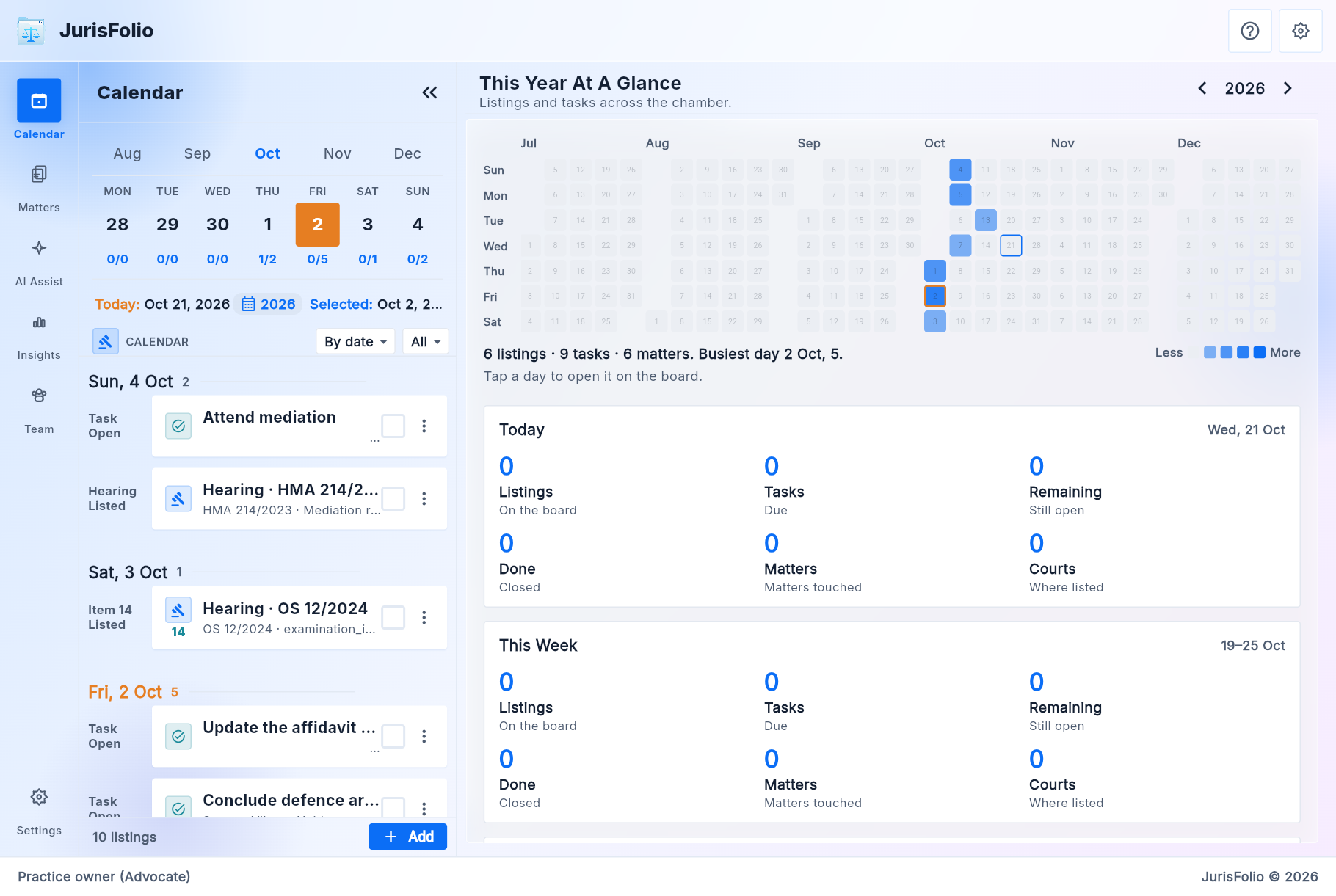
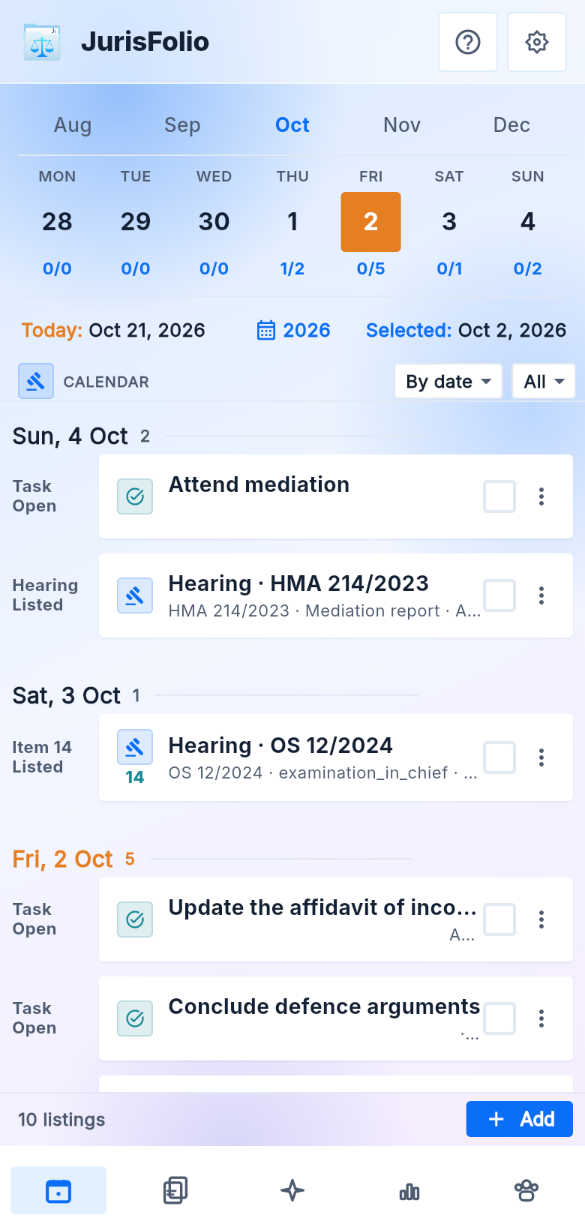
Calendar for the week of 2 October 2026, with hearings and tasks grouped by date, and the year at a glance

What JurisFolio does

Everything about the matter, in one file

You decide what goes on the file. JurisFolio keeps it structured, searchable, and ready for the next date.

Calendar

The hearing board for the week, with the year beside it. On today, Cause list shows hall and item. Close out and Send update stay on the row.

Due

Limitation, filing, vakalat, written statement, and the other clocks, overdue first. A clock can suggest the last date. You confirm what goes in the diary.

Matters

The shelf of disputes. Search by number, CNR, client, or caption. Opening a file starts with next date, our side, last direction, and what to carry.

Court and proceedings

Every court window on the matter, and Fetch case details by CNR. Today's list for the saved complex lives on Calendar.

Parties

Sides on this matter, filed from a practice directory so a person is typed once.

Papers

Pleadings, evidence, orders, and correspondence. The files stay in your Google Drive or OneDrive.

The brief and AI Assist

Issues, our case, admissions, exhibits, orders, and chronology. Summarize, analyse, propose from the papers, prepare, and draft on that file. Accept is what writes a proposal onto the brief.

Team and fees

Named seats and a 48-hour read link. Fees, on the open matter, records what was agreed and what was received. Clients and the link do not see the amounts.

Language, appearance, reminders

English and the Indic set, for the screens, the answers, or both. Light, dark, and lock-screen privacy.

View all features

How it works

Sign in, open a matter, work the week

  1. Sign in

    Google or Microsoft. The first success creates the account and a default practice. There is no JurisFolio password.

  2. Land on Calendar

    Hearings for the week. On today, Cause list loads hall and item after Fetch eCourts. Due holds the clocks that are not a hearing.

  3. Open a matter

    The glance is next date, our side, last direction, what to carry, and the fee still due when one is recorded. Under that: cause title, parties, court, papers, and the brief. Fetch case details when you have a CNR.

  4. Close out and share

    Close a listing from the board. Send update opens WhatsApp with the next date. Record a receipt on Fees. Invite a named seat, or issue a 48-hour read link. The link cannot ask the model, and it does not show the fee.

Plans

What the advocate pays

The subscription is what the advocate pays JurisFolio. Prices are INR per month. AI Assist, including drafts, sits inside the fee with a monthly cap.

PlanPriceWho is on it
Free₹0The owner alone. One matter. Calendar, today's cause list, the file, papers, Fetch case details, AI Assist. No invites.
Pro₹399One advocate. Unlimited matters on their own shelf.
Pro Team₹999Five named accounts, owner included. Clients and 48-hour links do not take a seat.

Scope

What JurisFolio is, and is not

It is

  • The digital case file for one dispute
  • The chamber diary, today's cause list, and Due for the other clocks
  • Papers in the owner's Drive or OneDrive
  • A fee register on the open matter
  • AI Assist on the open matter

It is not

  • A judgment library as the home screen
  • A legal marketplace
  • Firm ERP, GST invoices, or a CRM pipeline
  • Automated CAPTCHA solving or e-filing back to court

Questions people ask first

Where do the papers live?

Ordinary files in the practice owner's Google Drive or OneDrive, in a folder named from the matter. You can open them without the app. JurisFolio does not keep those bytes on the API host.

What can AI Assist do?

Summarize, analyse, propose from papers, prepare, and draft on the open matter. Analyse and Propose can suggest an issue, a point, or a date that cites the file. Accept writes it onto the brief. Reject leaves the file unchanged. Drafts are for you to edit. The model does not file or serve anything.

Who can see a matter?

The owner. Optional grants: lead, junior, clerk, client, external counsel, expert. A client who signs in sees Today and Matters only: next dates, then the cite, the stage, and the papers you marked shared. A read link expires after 48 hours, shows the papers you included, and cannot ask the model. Clients and read links do not take a paid seat, and they do not see Fees.

Does Calendar require a matter to be open?

The board is the week's hearings across the practice. On today, Cause list is the court's hall and item for your bar enrolment and saved complexes. Due lists open limitation, filing, and the other clocks until you mark them done. Opening a row lands on that matter. A control can limit the diary to the open matter.

Does JurisFolio invoice the client?

No. Fees, on the open matter, is the register: what was agreed, what was received, a waiver, or a refund. The glance can show what is still due. There is no GST invoice, no tax return, and no payment link. A client and a 48-hour link do not see the amounts.

Does JurisFolio send WhatsApp?

Send update opens WhatsApp on your phone with the next date. You send the message. JurisFolio does not run a WhatsApp account, and it does not store the message.

Open the app All features