Features

Every capability in the app is listed here. The pictures are the prepared chamber. Names, phone numbers, and case identifiers are covered. On today, Calendar also carries the court's cause list. A phone uses Calendar, Due, Matters, AI Assist, and Team. Fees sits on Team for the open matter.

AI Assist writes a working note on the open matter. It does not file a pleading, serve a party, or load the cause list. You read the paper before you rely on it. Accept is what writes a proposal onto the brief.
Calendar

The chamber board for the week

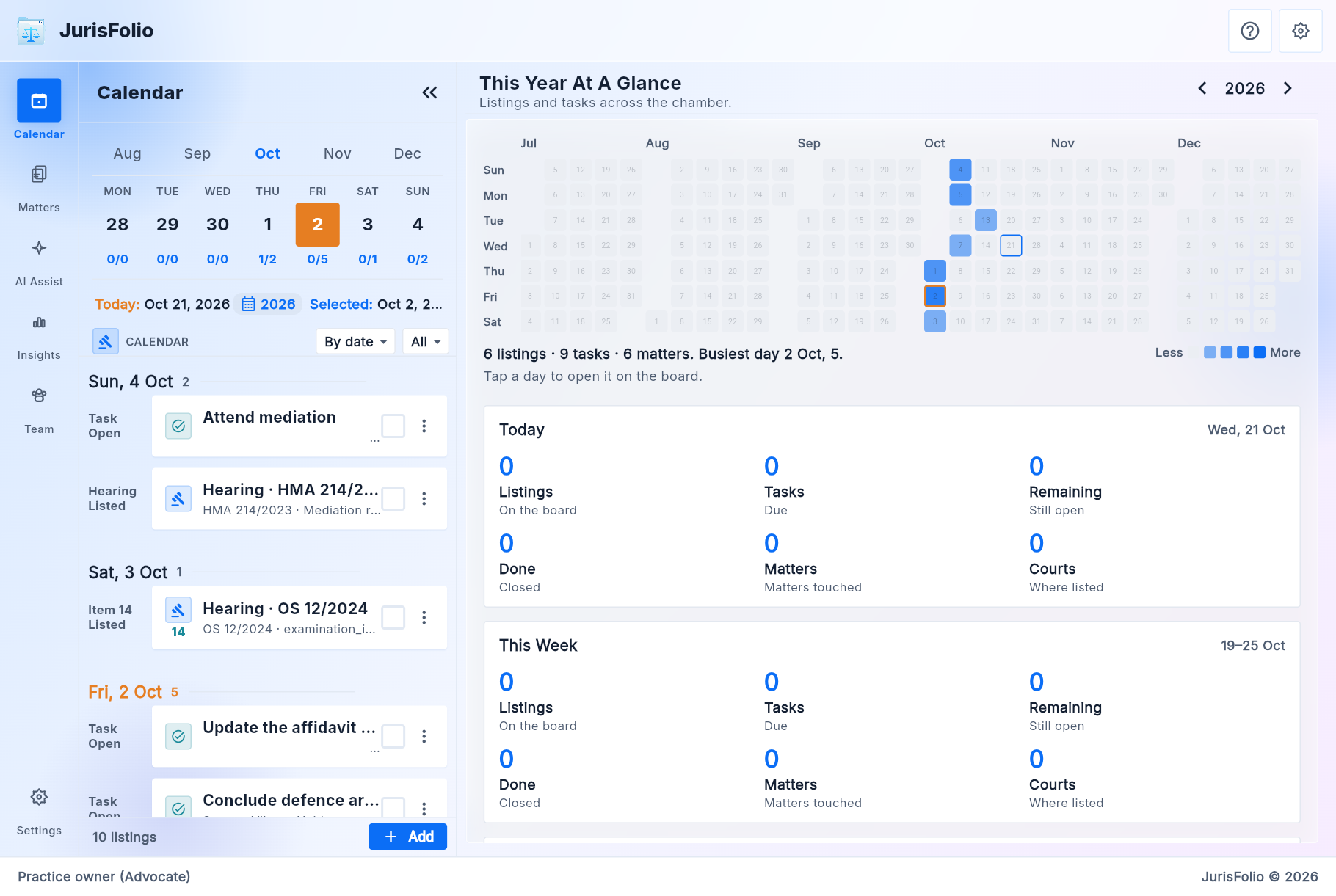
After sign-in you land on Calendar. It lists hearings and chamber tasks across the practice. On today, Cause list shows what the court published for your bar enrolment and saved complexes. The board stands on its own; opening a row is what takes you into that matter.

The week

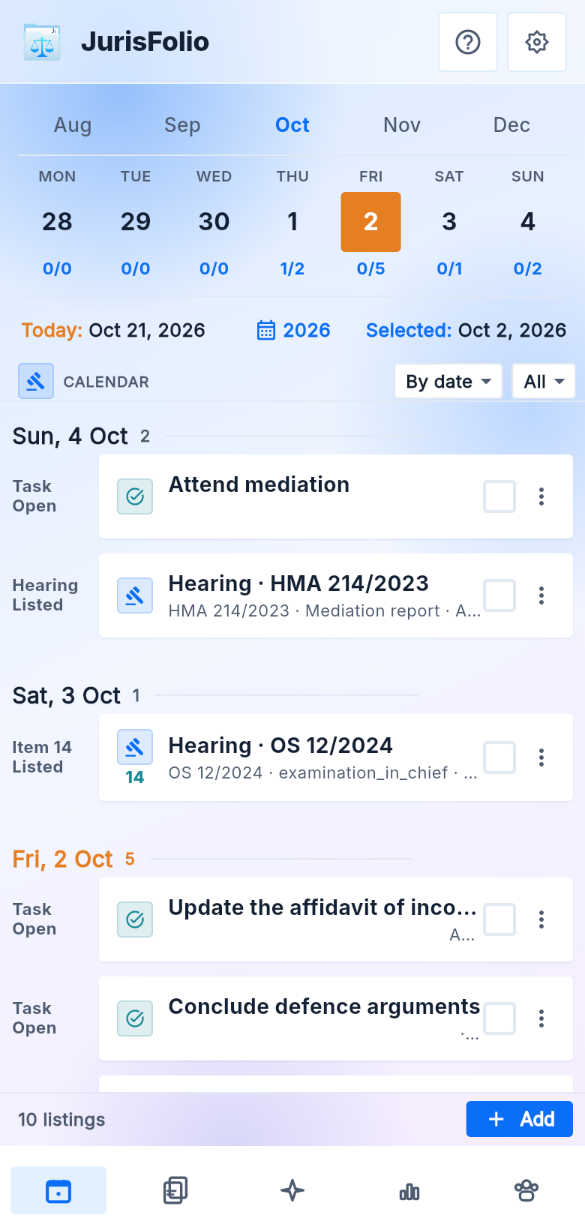
Month strip, Monday week chips with done and remaining counts, and the rows under that week. Group by date, court, kind, matter, or status. Other dates stay this diary.

Cause list

On today, after Fetch eCourts and the captcha, hall and item for the saved complex. A row that is not on a file waits until you attach it or confirm a new file. The e-filing password is not sent.

Year at a glance

On a wide window the pane beside the board is the year. A darker day means more listings. Today, this week, and this month are counted underneath.

Clocks stay on Due

Limitation, filing, and follow-up are not mixed into that day's hearing rows. They live on Due until you mark them done.

Close out

On the listing, without opening the file. Adjourned, part-heard, or order asks for the next date, the next purpose, and the direction, then writes the next listing.

Send update

After a close that wrote a next date, this opens WhatsApp on your phone with that date. You send it. JurisFolio does not.

Calendar for early October, hearings and tasks grouped by date, with the year at a glance
Calendar on a phone for the week of 2 October

Due

The clocks that are not a hearing

Due is the book-wide list of open clocks: limitation, filing, process, vakalat, written statement, certified copy, court fee, compliance, restoration, and follow-up. Overdue stays on the list until you mark it done. A morning note, if you turn it on, opens Due.

The same week strip

Month and week match Calendar. Counts on those days are open clocks. Overdue comes first, then due today, then soon, then later.

A suggested last date

Add a clock, pick the article or the named period, and set the start. The suggestion fills the diary date. You confirm or edit it. It is not a ruling on whether the file is in time.

Opens the file

A row opens that matter's tasks. The fee still due is not a Due row. It stays on the matter glance.

Matters

The shelf, then the cause title

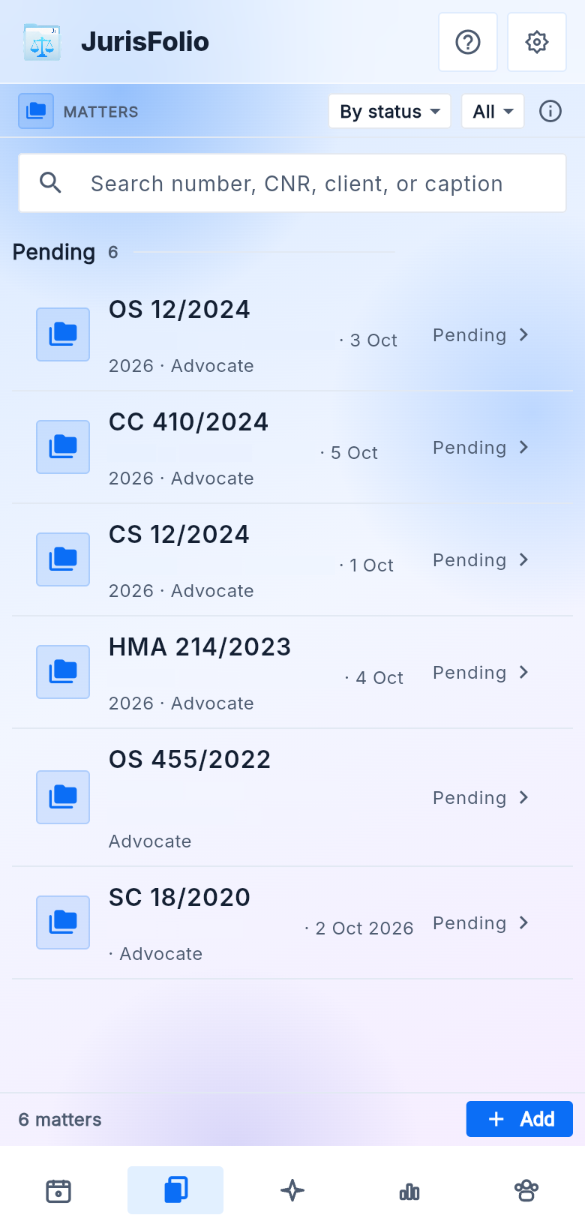
One row is one dispute. With nothing open, the pane beside the shelf counts the book. Opening a matter loads the file. Charts are not a destination on the phone.

Search

Number, CNR, client, or caption. Group and filter the other matters under the one you have open.

Add a matter

Caption, family, forum, court, case type, number, year, and our side. Acts and sections come from the library. CNR can wait.

Cause title

The face of the matter: caption, client, family, forum, and a glance at the active proceeding.

The tree

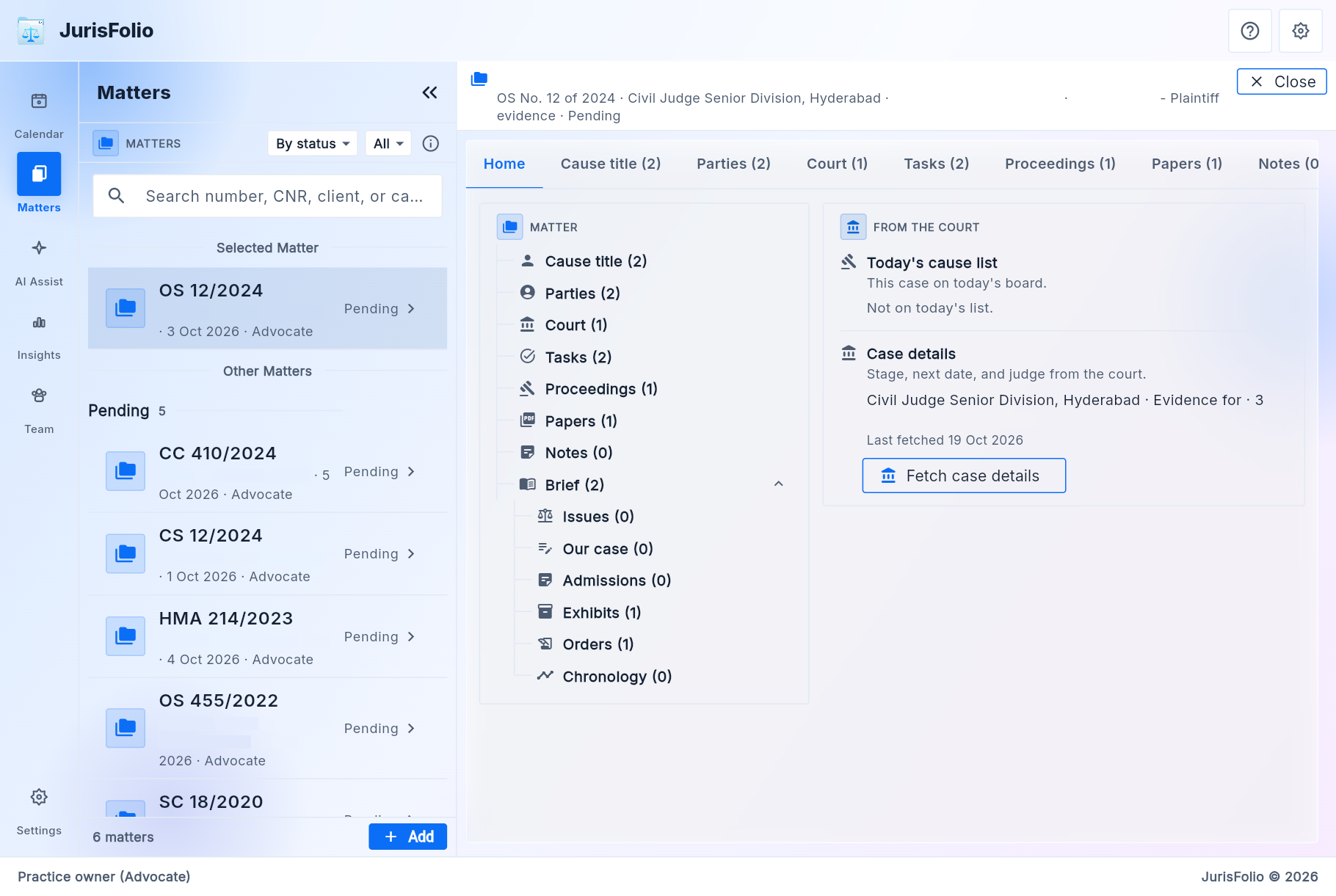
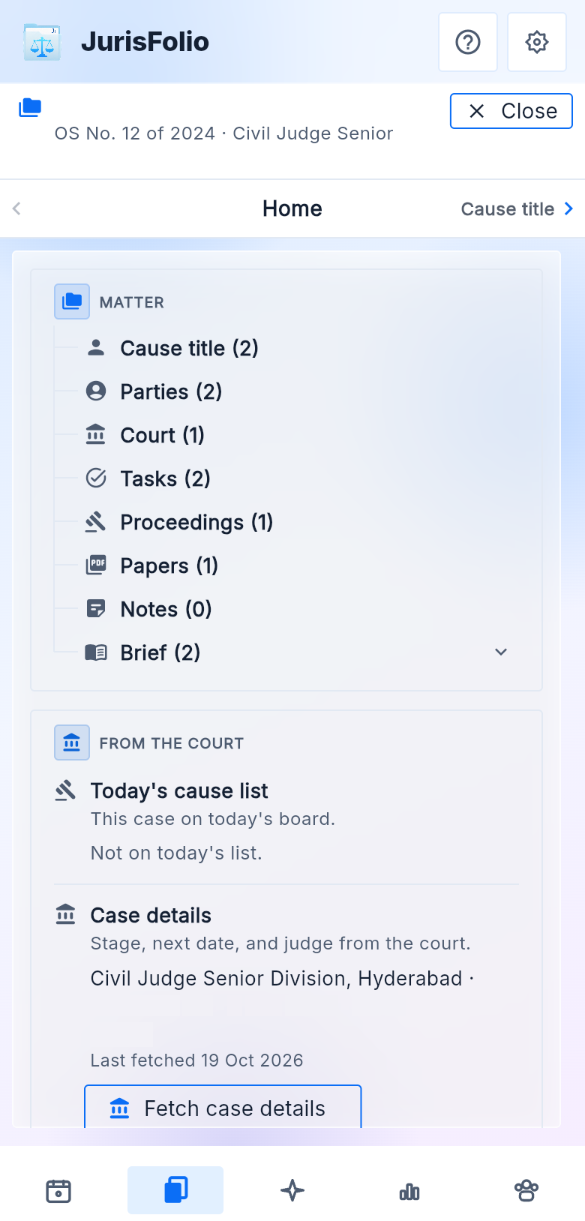
Cause title, parties, court, tasks, proceedings, papers, and notes. The brief sits underneath, until you are preparing.

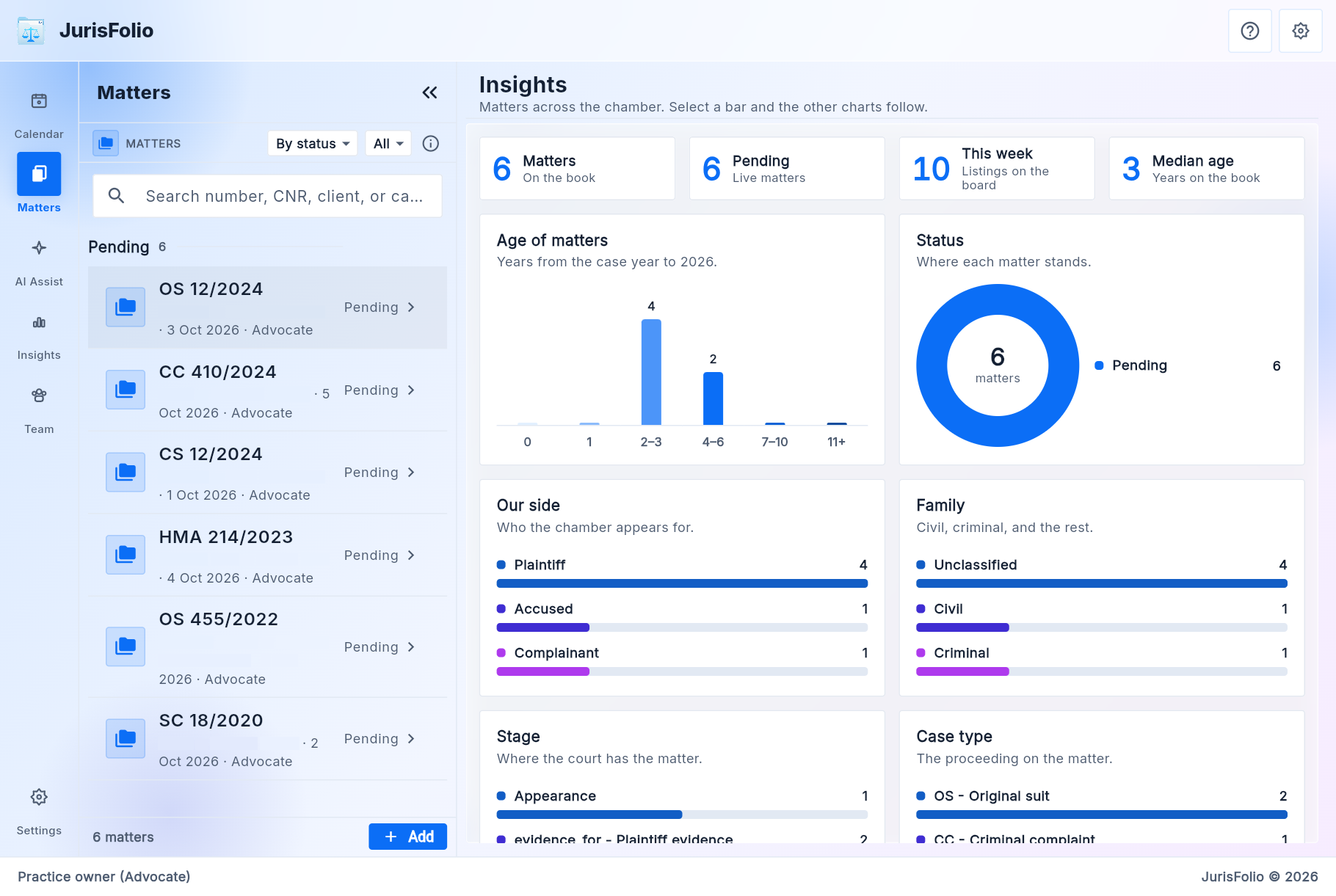
Matter shelf beside the book counts: pending matters, age, status, side, and family
Matter shelf on a phone

The file

Home of the open matter

Home opens on a glance: next date and purpose, our side, last direction, the papers to carry, and the fee still due when one is recorded. Fetch case details reads the CNR into this proceeding. A refresh can propose orders and chronology events; you accept what matches the record. The fee line is not shown to a client.

Court

Every proceeding on the matter: the active window, earlier courts, and a court you moved to. Move court keeps the old proceeding on the same matter.

Tasks

Filing, draft, certified copy, limitation, follow-up. A hearing sits on Calendar that day. Limitation, filing, and follow-up stay on Due until you mark them done.

Proceedings

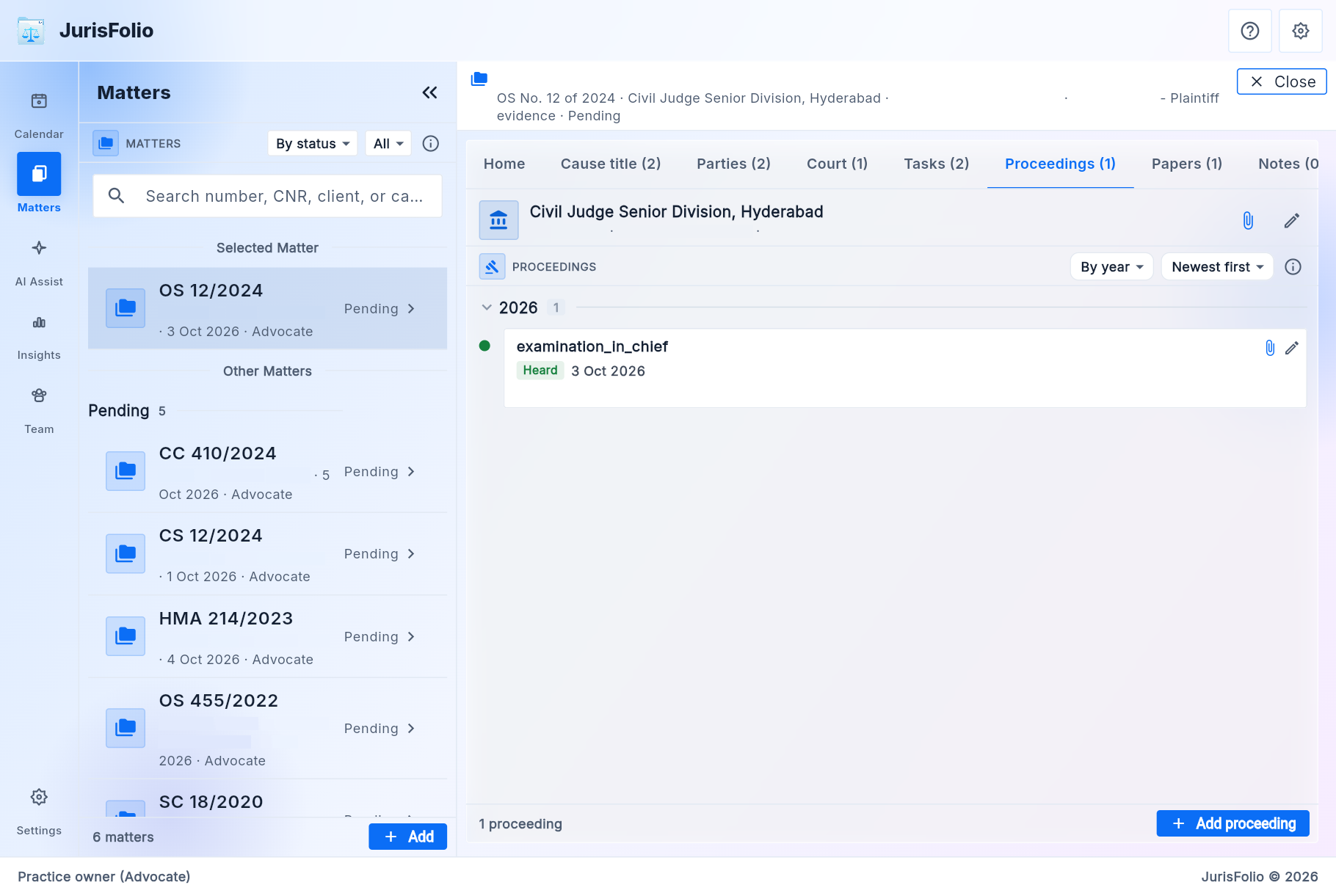
The hearing board of the active proceeding: date, purpose, status, hall. Adjourned and part-heard ask for the next date, the same as Calendar.

Notes

Chamber remarks with a visibility: lead, team, or client. A note is not an order and not a chronology event.

An open matter on Home, with the file tree, the brief, and Fetch case details
Open matter on a phone, with the file tree

Parties

Sides on the matter, names in the directory

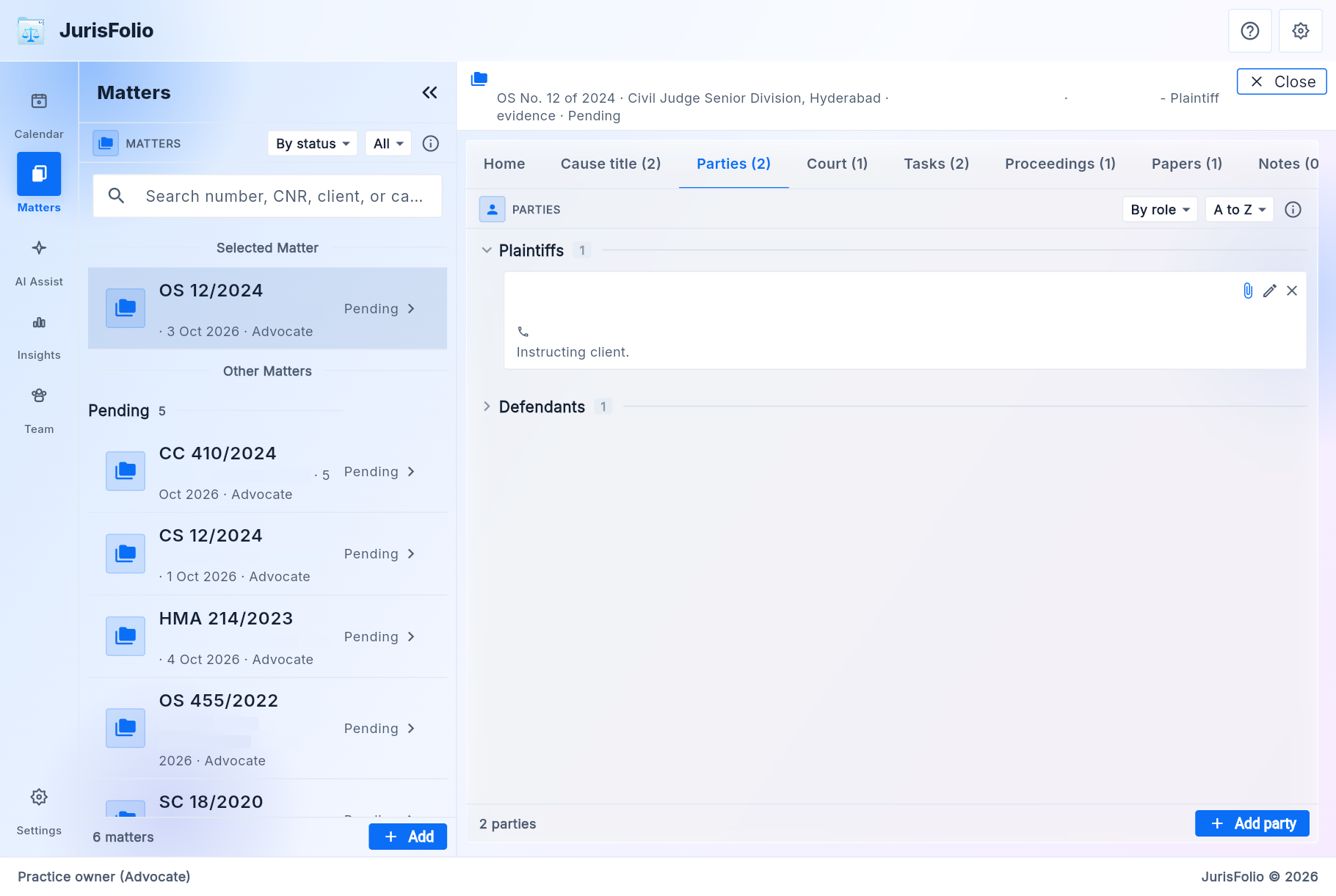
A person lives in the practice directory. This page files that person onto the matter and sets their side.

On the matter

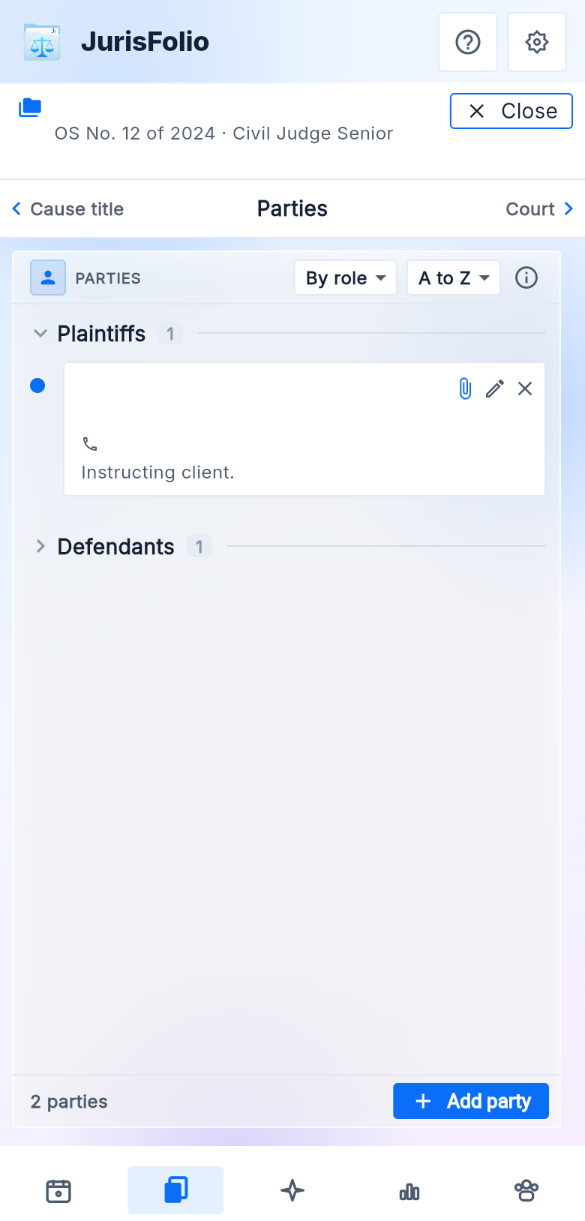
Plaintiffs, defendants, and the rest of the side list, with counsel. The same person can sit on many matters.

Parties directory

Clients, opposite parties, advocates, and forum offices. Pick a type, then add a name, phone, and note. Saving a directory party does not put them on a matter until you file them.

Parties on an open matter, grouped by role, with Add party
Parties on a phone

Proceedings

The hearing board of the active court

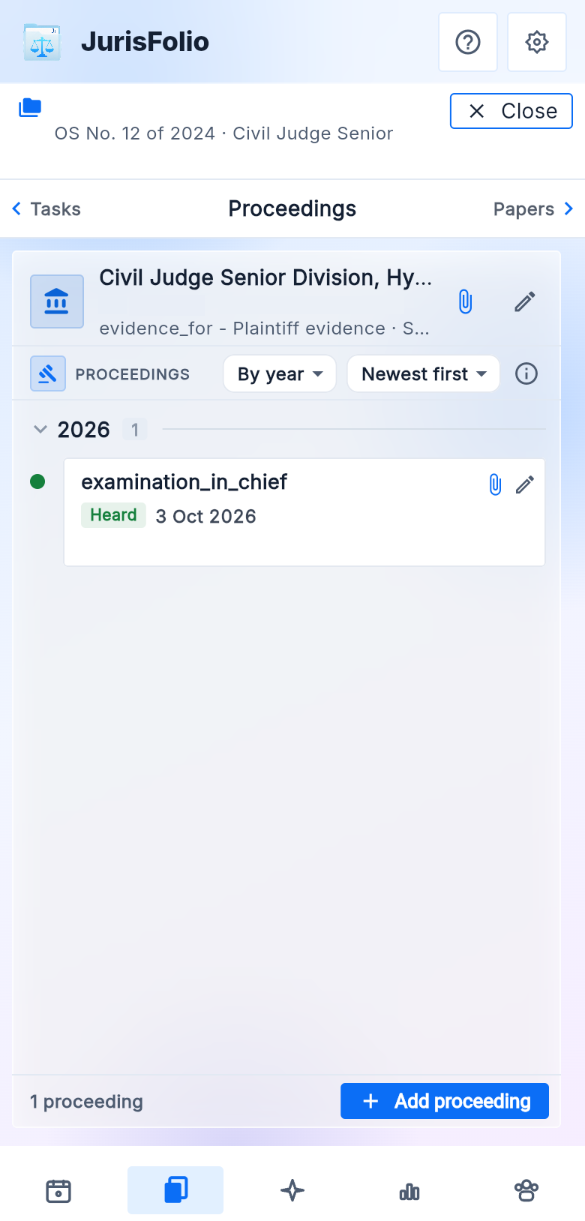
Sister courts stay on Court. Proceedings is the listings of the window that is current, and the same hearings appear on Calendar for that date.

A listing

Date, purpose, status, and list kind. Attach the paper that was filed, marked, or pronounced that day.

Fetch case details

CNR refresh writes court-sourced dates and stage. It does not replace your notes, and it does not e-file.

Proceedings for the active court on an open matter
Proceedings on a phone

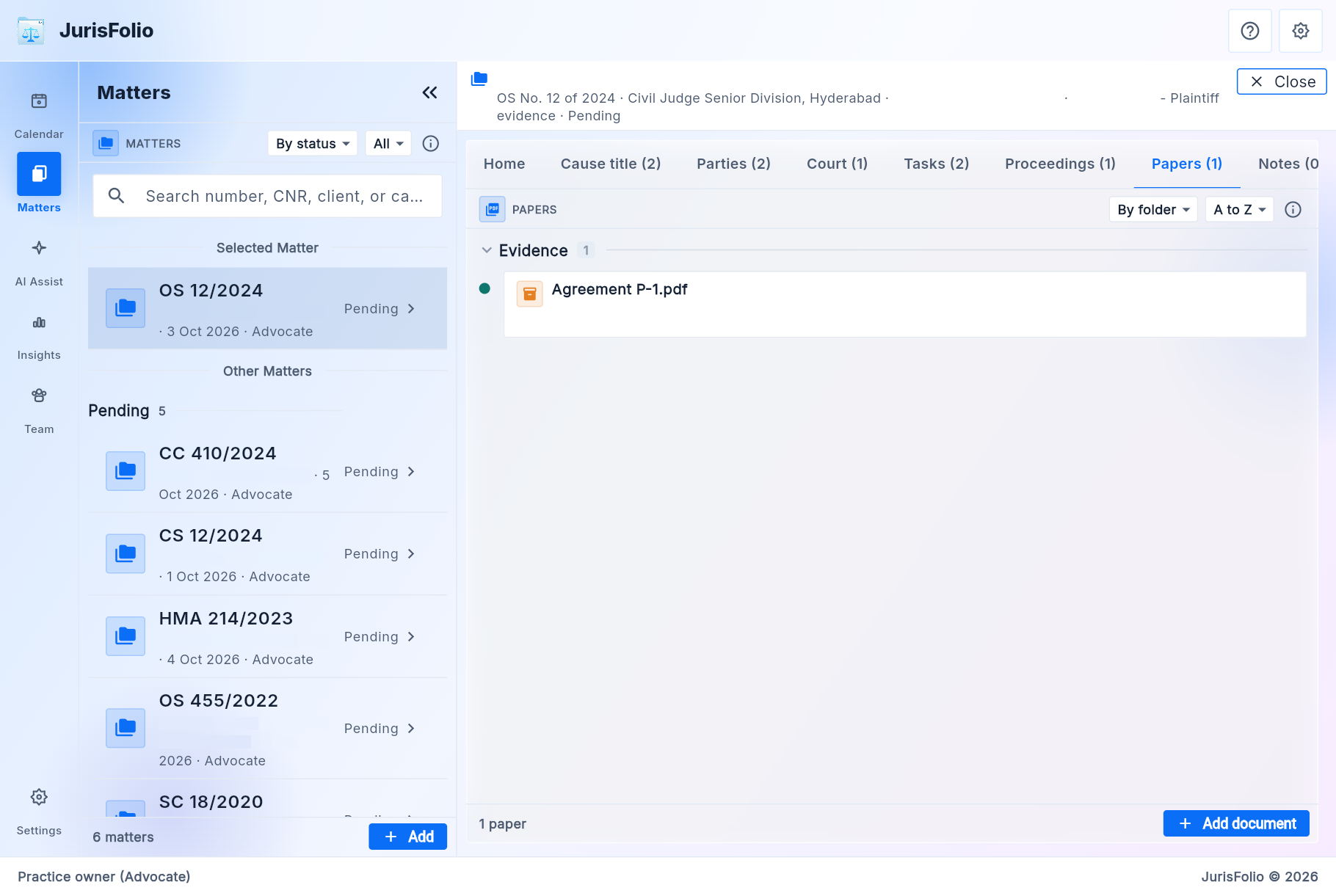
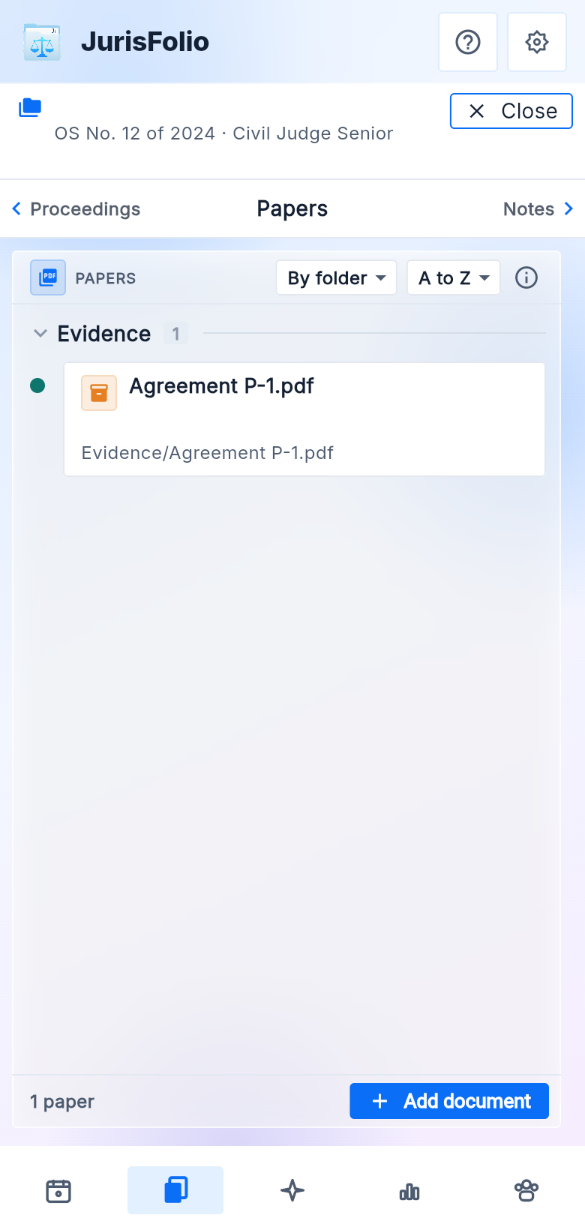
Papers

The foldered record, in your cloud

A paper lives here even when it is also attached to a hearing, an exhibit, or an order. The copy in Drive or OneDrive sits in a folder named from the matter.

Folders

Pleadings, evidence, orders, correspondence, and other. The kind of paper — plaint, vakalatnama, judgment — is a finer label inside the folder.

How a paper comes in

Scan, photo library, or a document (PDF or Word, including WhatsApp). The original stays readable in your own cloud account if you leave JurisFolio.

Papers on an open matter, evidence folder, a file kept in Drive
Papers on a phone

The brief

What you will put, and what is already given

The brief is collapsed in the tree until you open it. Nothing here is filed or served.

Issues

What the court has to decide. Open, decided, or proposed.

Our case

The points you will put, each one sitting on an issue.

Admissions

What a party has accepted on the record, or what you treat as admitted for the brief.

Exhibits

The mark and the purpose. The paper itself stays in Papers.

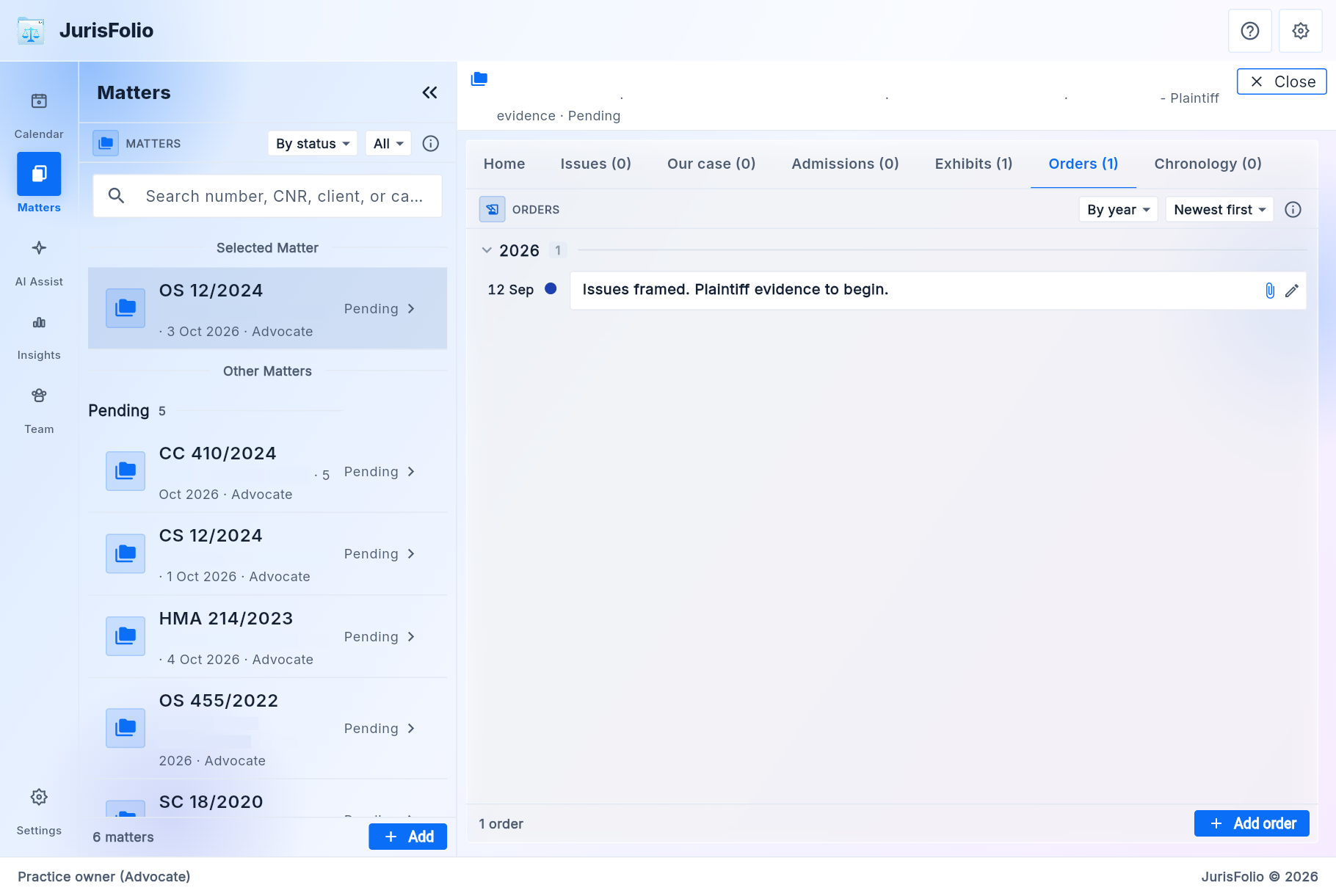
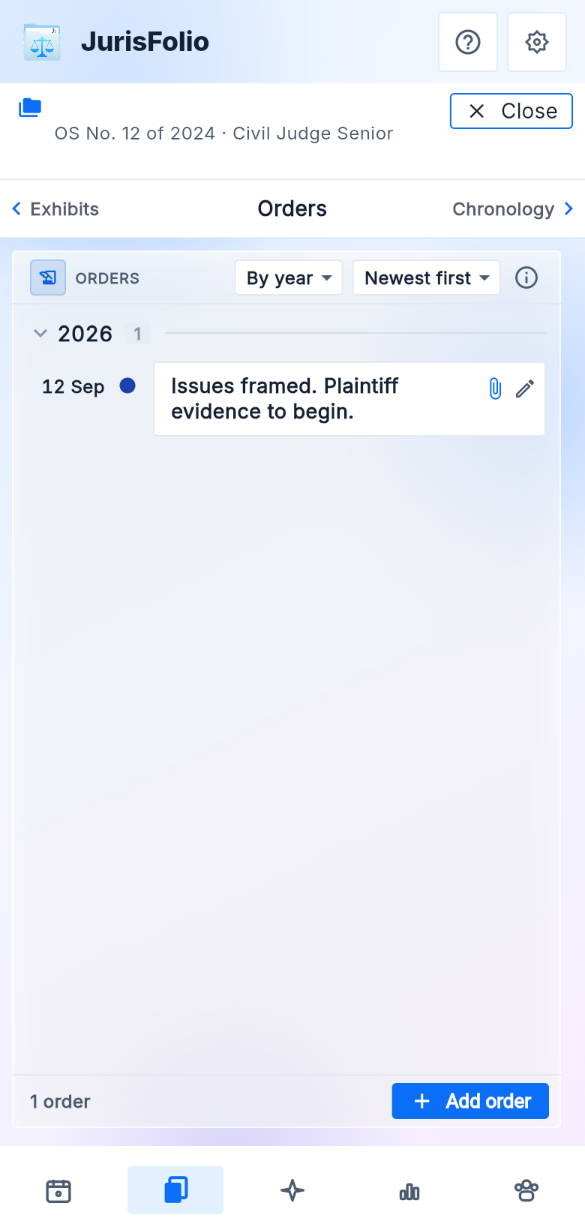
Orders

What the court has already passed. A proposed order stays out of the count until you accept it.

Chronology

The accepted story in date order. Proposed events from a refresh stay off the board until you accept them.

Orders on the brief of an open matter
Orders on a phone

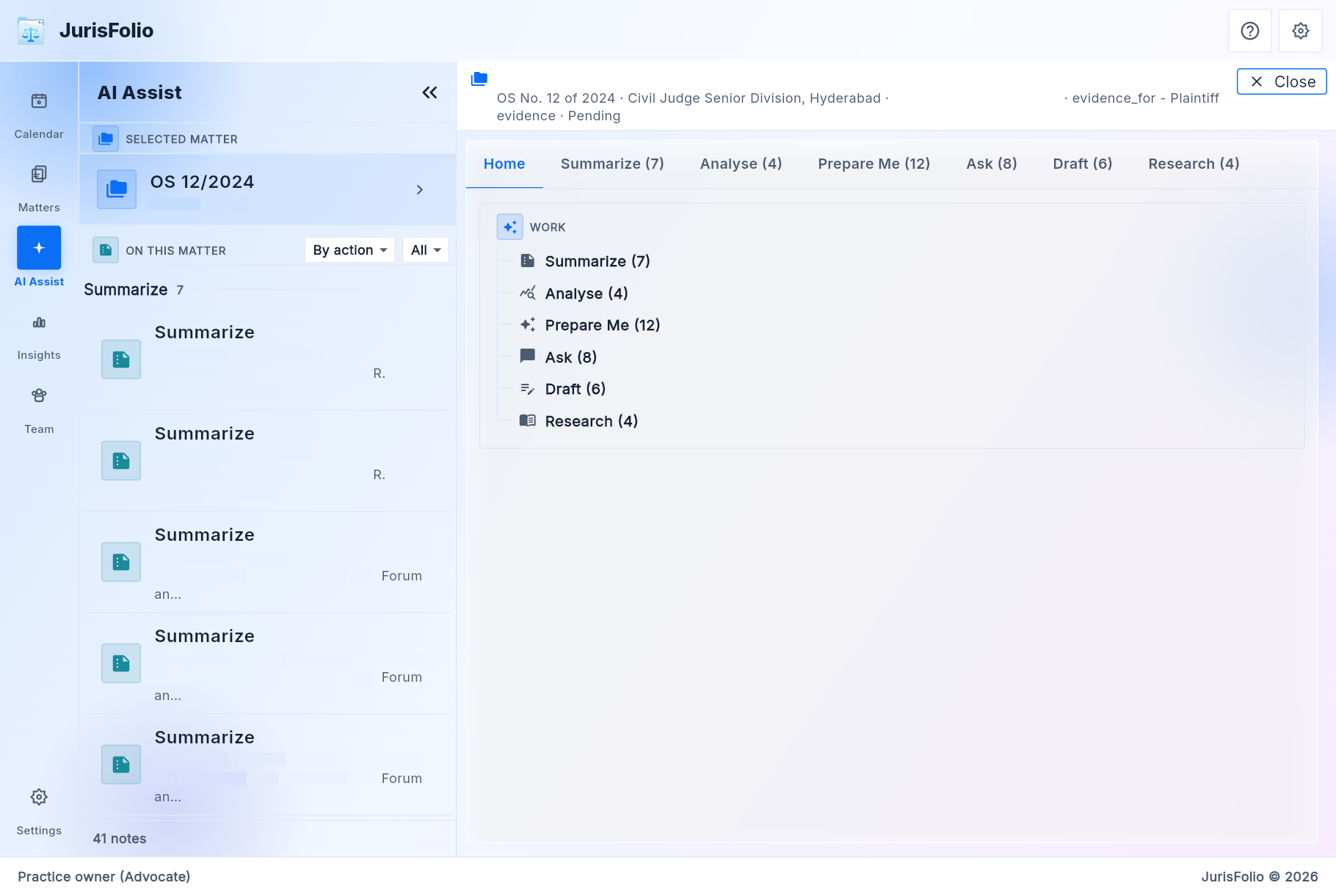
AI Assist

A working note on this matter

Open the matter first. Answers stay on that file. Clients, clerks, and experts do not see this screen. A 48-hour share has no AI Assist.

Summarize

A working note of parties, stage, issues, the last order, and what is still open.

Analyse

Admissions, contradictions, and gaps. A proposal that cites the file can be an admission, an issue, or an exhibit purpose. Accept writes it. Reject leaves the file unchanged.

Prepare Me

Eight-line briefing, full note, arguments, cross-examination, evidence, or previous orders. You walk in with what is already on the matter.

Propose from papers

Reads text already captured from the papers and suggests issues, dates, and points. Accept adds the row. Nothing is added until you do.

Draft

A working draft from a template and this file, for you to edit. Nothing is filed or served from this screen.

AI Assist on an open matter: Summarize, Prepare Me, and Draft
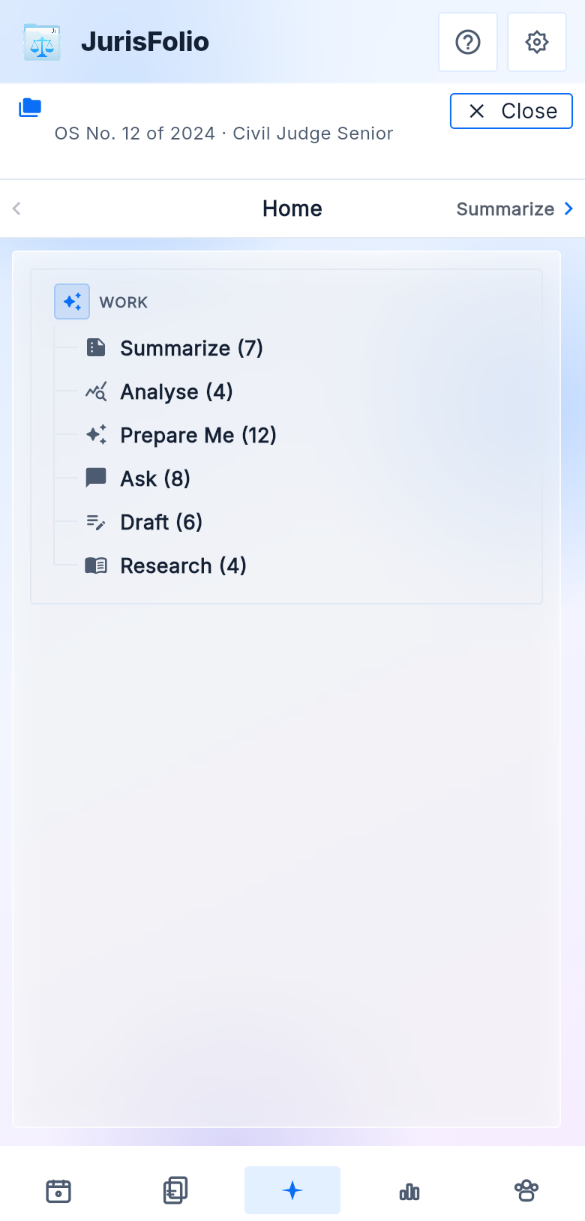
AI Assist on a phone

The book

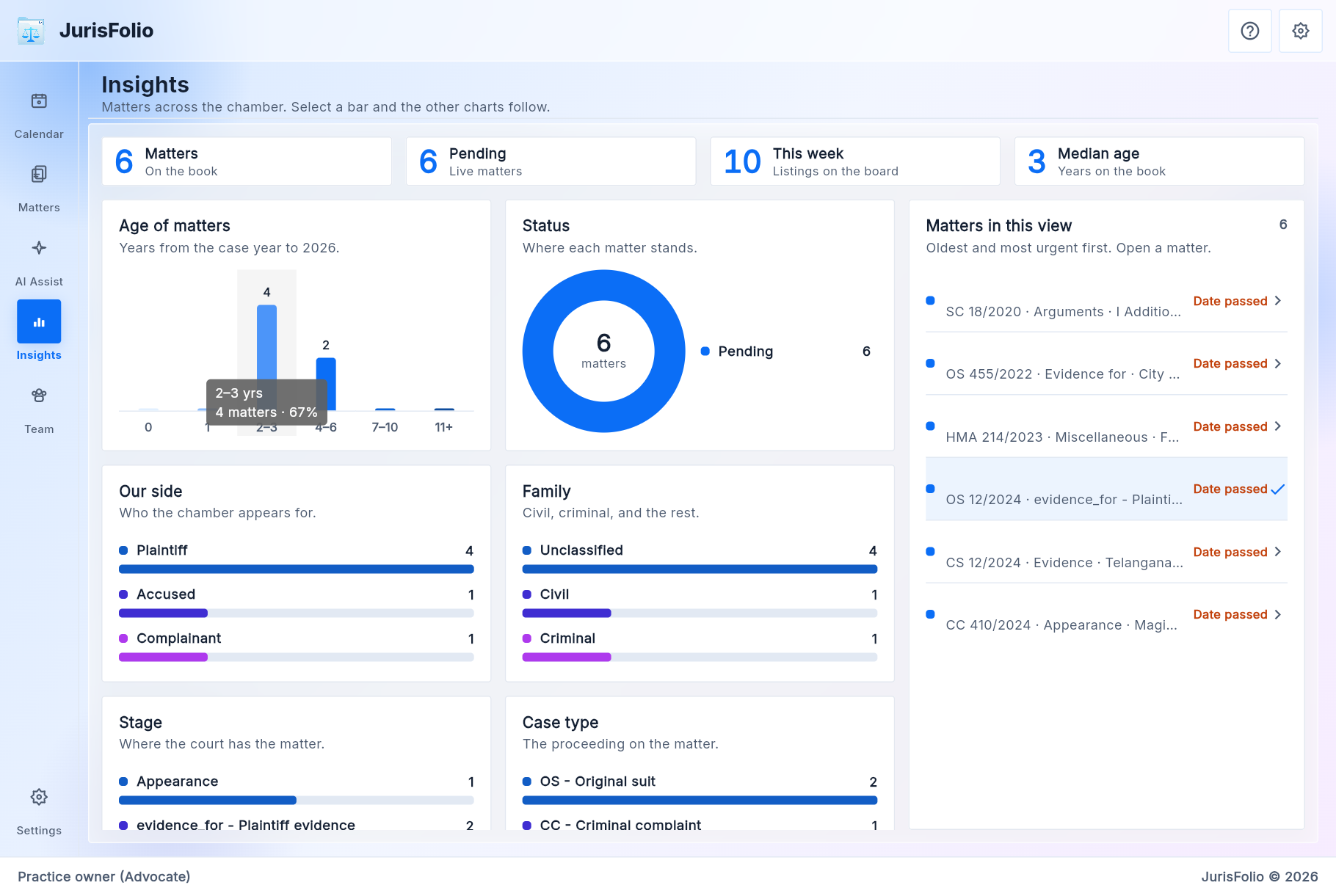
Counted, when no file is open

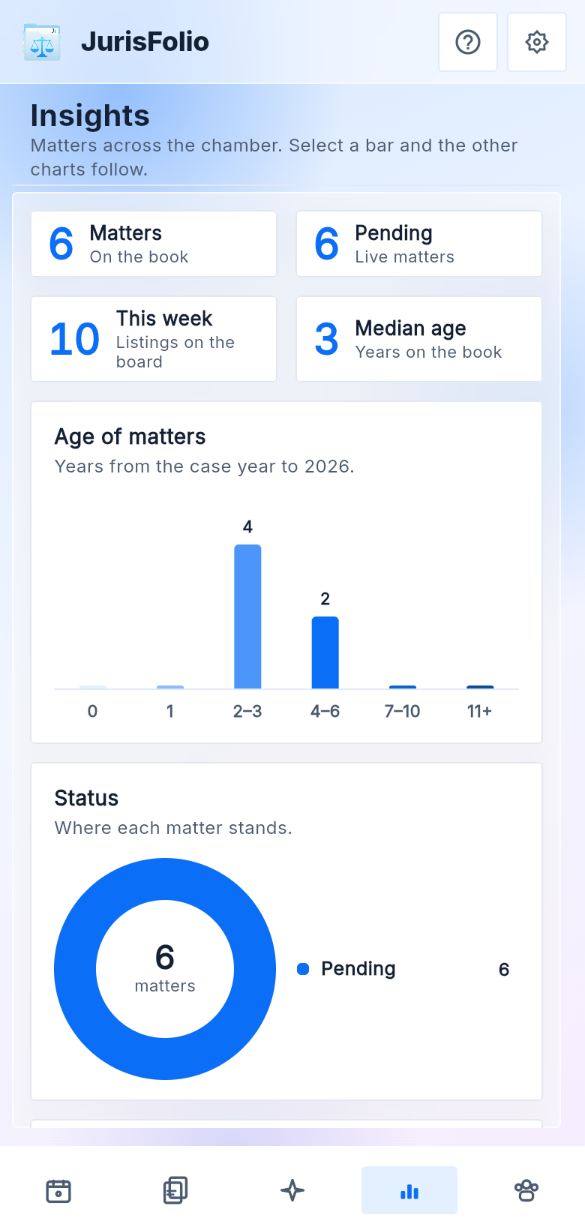
On Matters, with nothing open, the pane is the book: how many matters, how old they are, and what kind. Tapping a bar filters the other charts and the list. It does not change a matter, and it is not a button on the phone. The phone bar is Calendar, Due, Matters, AI Assist, and Team.

Age, status, next date

How long the matter has been on the shelf, whether it is pending, and whether the next date has passed.

Court, stage, case type

Forum, where the court has the matter, and the proceeding on the file.

Our side and family

Who the chamber appears for, and civil, criminal, writ, and the rest. Open a matter from the list under the charts.

The book counted beside Matters: pending matters, with age, side, family, stage, and case type
The book counted on a phone, from Matters with no file open

Team

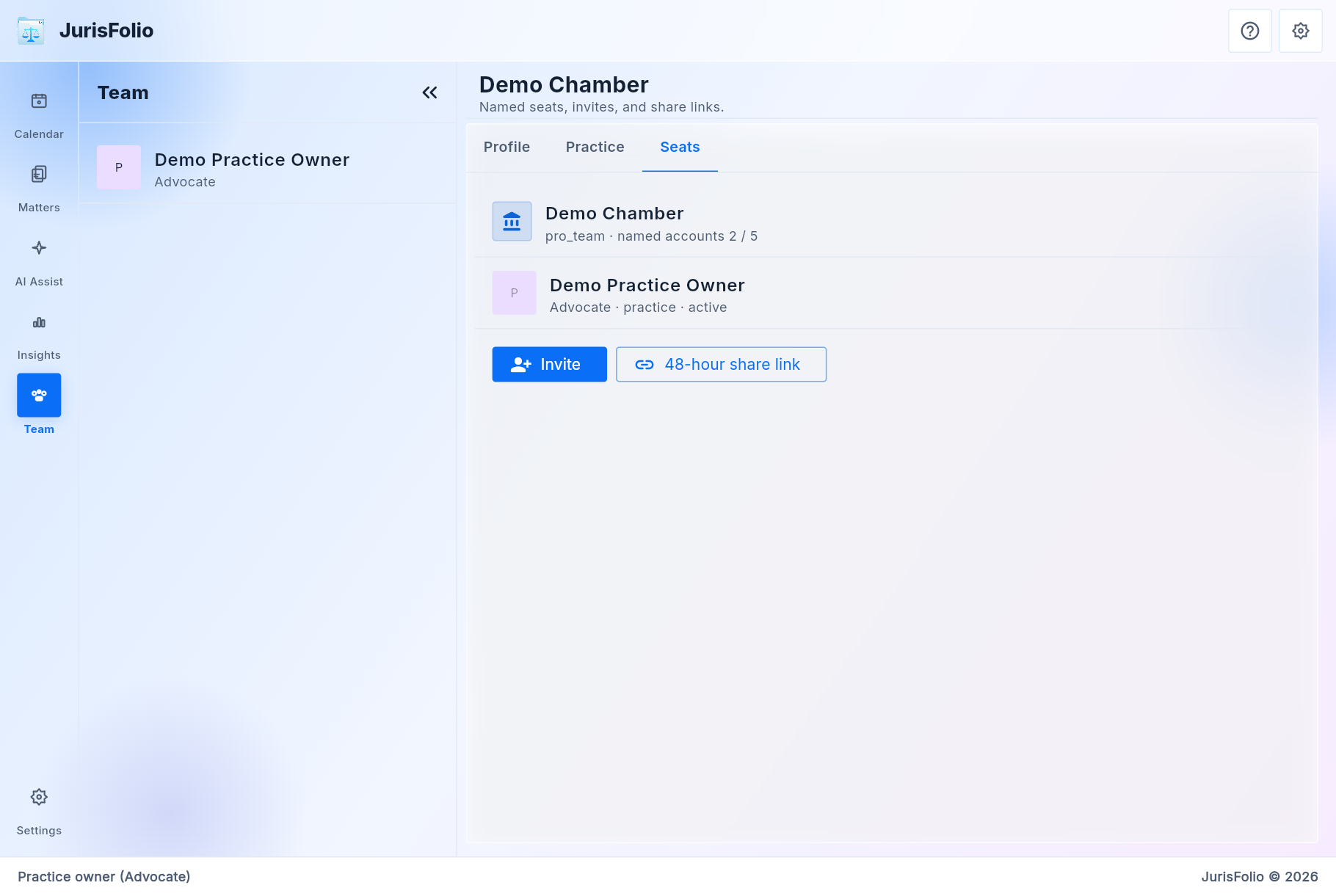
Named seats and a short read link

Pro Team is five named accounts, the owner included. Clients, experts, and 48-hour links do not take a seat and do not pay. A client who signs in sees Today and Matters only: next dates, then the cite, the stage, and the papers you marked shared. They do not see the cause list, Due, Fees, or AI Assist. A clerk's bar is Calendar, Due, Matters, and Team, so a receipt can be recorded. A clerk does not get AI Assist or the audit trail.

Seats

Invite a lead, junior, clerk, or external counsel. Each person signs in with their own Google or Microsoft account. Team on an open matter is who is working that file.

Fees

On this matter only. Two tiles, Requested and Received, then the dated lines: agreed, received, waived, or refund. A partner or lead writes any of those. A clerk records a receipt. A junior can read the register. There is no GST invoice and no payment link.

48-hour share

A read-only link for one matter: caption, the papers you included, and the timeline if you allowed it. It expires. It cannot ask the model, and it does not show the fee.

Audit trail

Partner and lead, on this matter. Who changed the file. A clerk does not open it. It is not a practice-wide accounts book.

Team for the chamber: named seats, invite, and a 48-hour share link
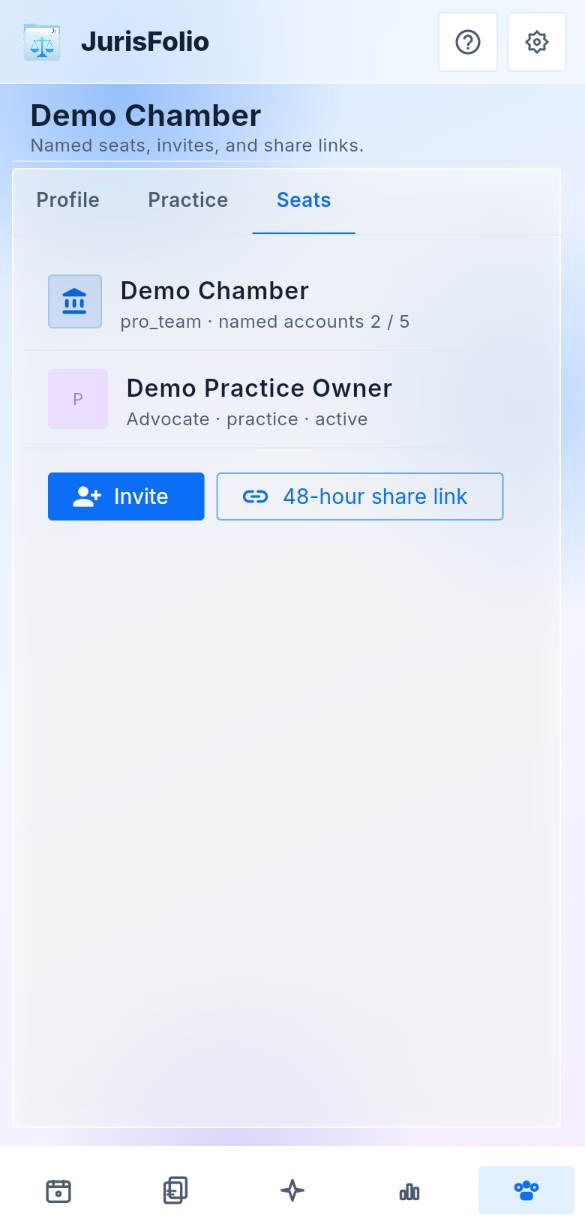
Team seats on a phone

Sign-in and settings

Your account, the language, the look

Sign in with Google or Microsoft. JurisFolio has no password of its own. On a review build, review accounts open a prepared chamber. Settings also holds on-device English refine for long notes, and whether a scan is read after upload.

Language

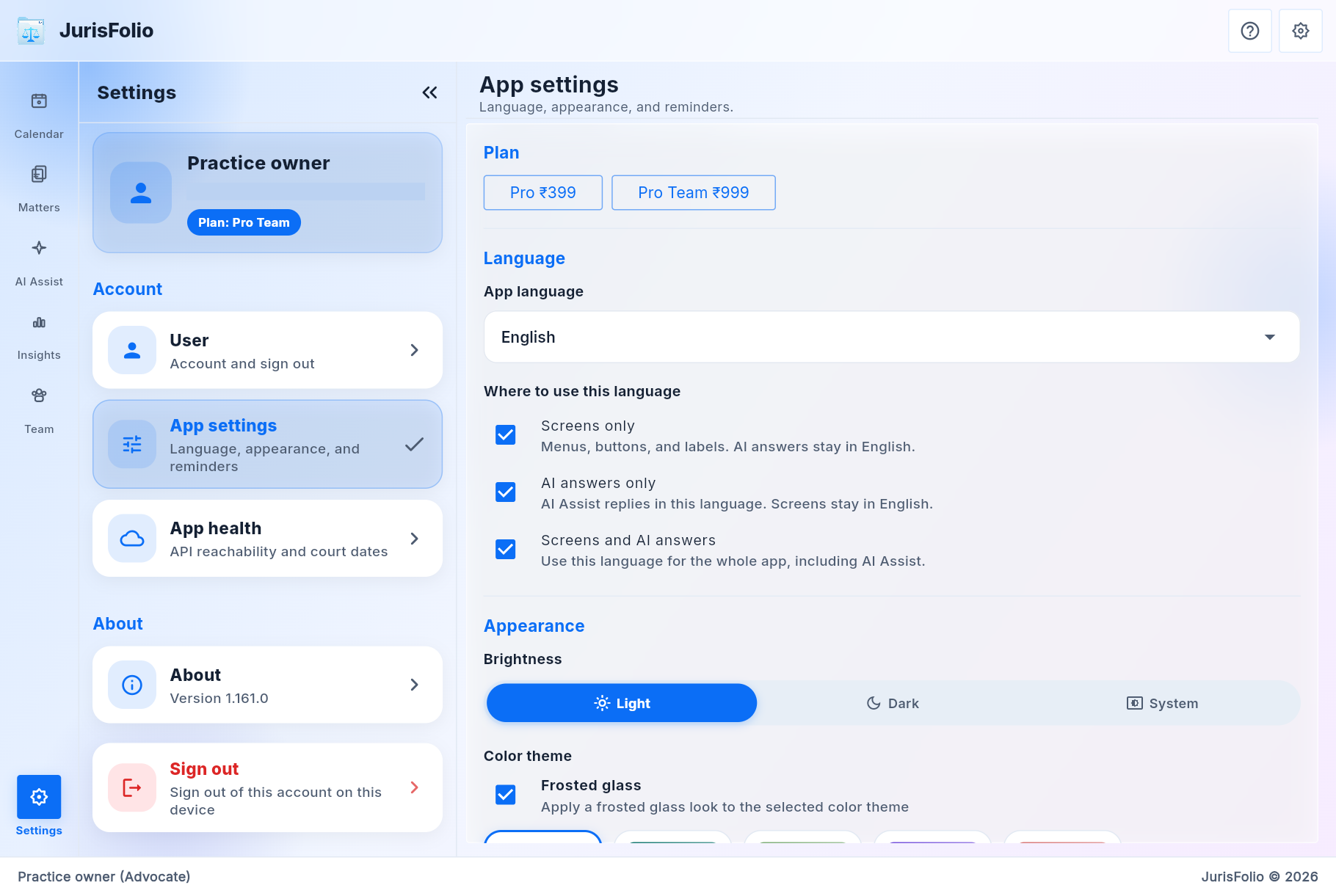
English and the Indic set. Use a language for the screens, for AI Assist answers, or for both.

Appearance

Light, dark, or system. Ocean Blue, Deep Teal, Sage Mist, Lavender Bloom, or a custom color. Frosted glass is optional.

Reminders

Hearing and task alerts on the phone. Delivery depends on the device. Treat them as a prompt, and keep the board as the record.

Lock screen

Hide matter captions in notifications until the phone is unlocked. App health shows whether the API is reachable.

App settings: Pro and Pro Team prices, language scope, and light appearance
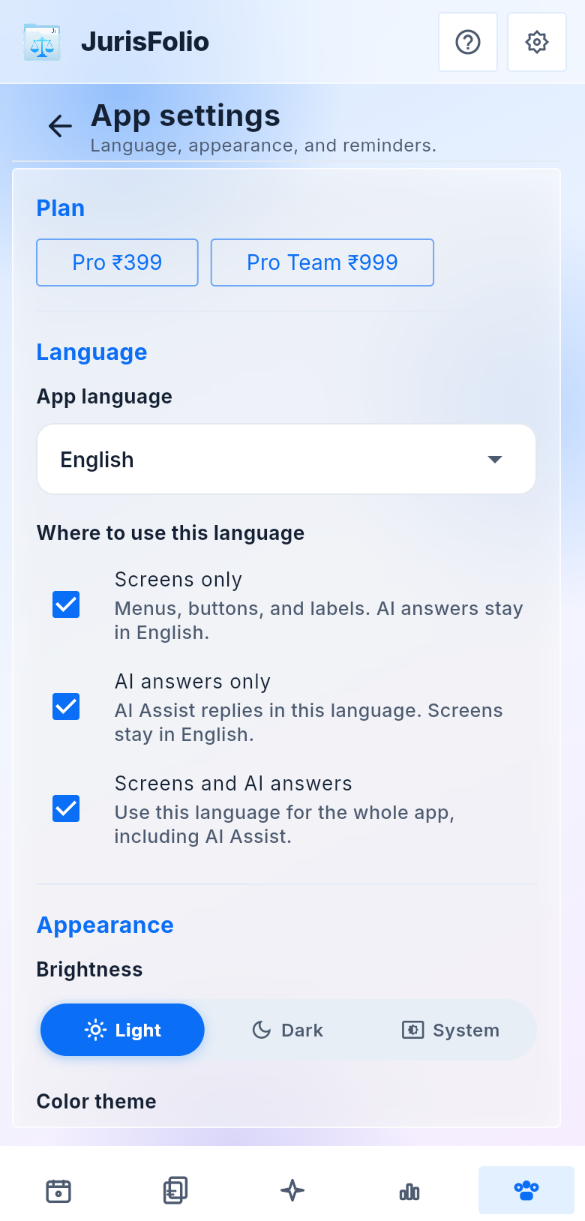
App settings on a phone